Key takeaways
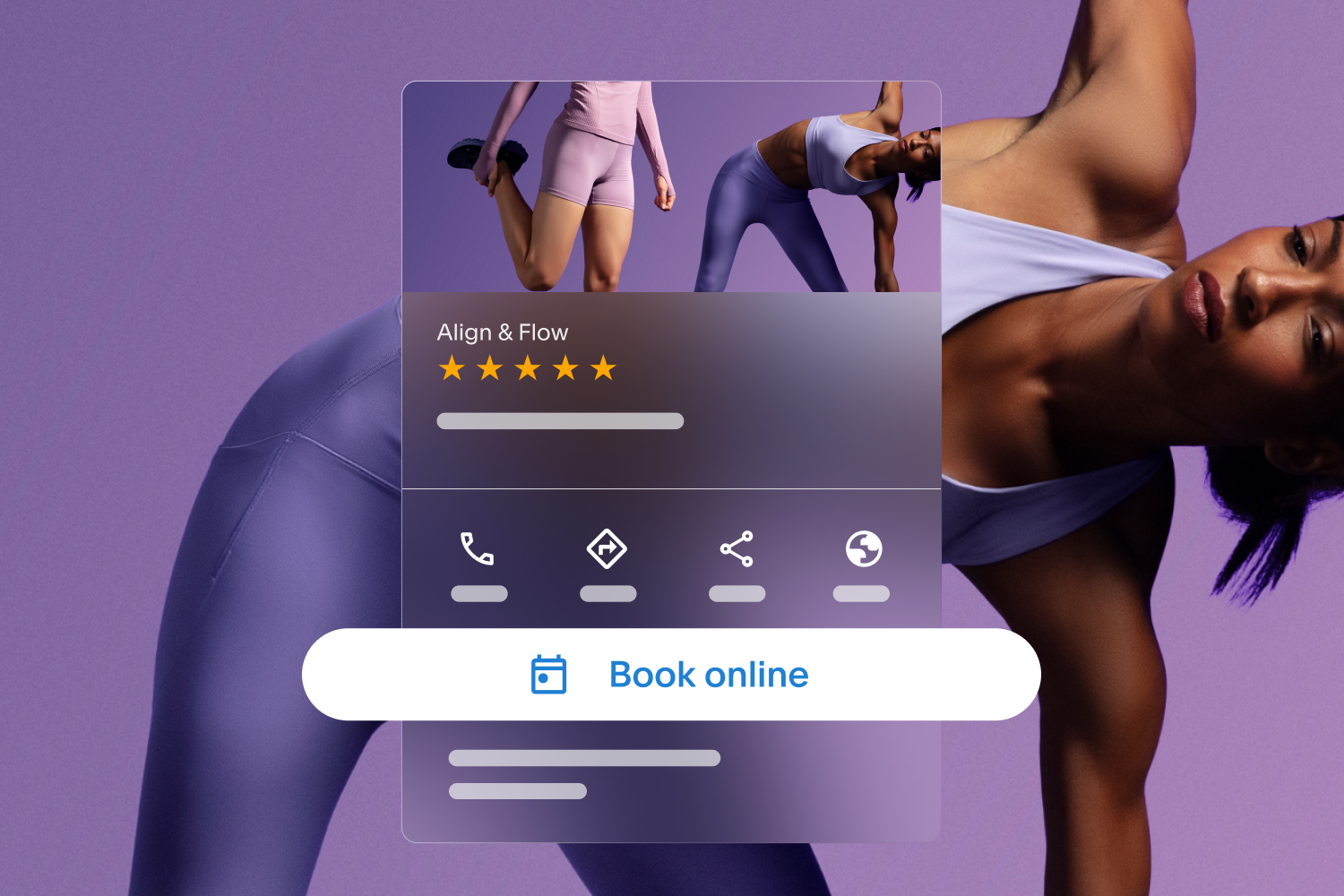
Acuity Scheduling's Reserve with Google integration adds a "Book Online" button to your Google Business Profile.
Show near real-time availability in search results, so clients can choose a time and land on your Acuity booking page ready to confirm.
Clients who find you through service-specific searches may be more likely to convert because they already know what they need.
Keeping your business details, hours, and availability accurate in both Acuity and Google is what makes the integration perform.
Your next client is already searching. Here's how to make sure they find you and book on the spot.
If you run a service business, discoverability affects your schedule, your revenue, and how much time you spend chasing bookings. A strong booking setup helps people move from searching to showing up on your calendar.
Acuity Scheduling integrates with Reserve with Google so that millions of Google users can better discover your business on Google Search & Maps, and then be redirected to your Acuity booking page to make an appointment with you.
Here's how getting found and getting booked become the same step.
What does Reserve with Google do?
A Google Business Profile helps your business show up in Google Search & Maps. Reserve with Google adds to this experience.
With the integration active, a prominent "Book online" button appears on your Business Profile, and your near real-time availability shows up directly in search results. Clients choose a time and are taken straight to your Acuity Scheduling page.
Without the integration, your business may appear in broad searches like "top-rated barbers near me," but it is far less likely to show up for availability-specific searches like "barber near me after 12:00 PM tomorrow," and clients won't have a fast path to book.
When you connect Reserve with Google, your business can:
Unlock a new channel for clients: Tap into the millions of potential clients searching for businesses or services you offer through Google Search & Maps by giving them a way to book with you directly.
Use your own scheduling site: Google redirects clients to your Acuity booking page, so you can continue to take advantage of the features you already rely on.
Drive growth with helpful information: Encourage potential clients to choose your business by highlighting helpful information upfront, like the services you offer and associated pricing.
Setup is easy and done through Acuity. This integration matches your Acuity account with a Google Business Profile, automatically adding the booking button to your profile and other places where your business may appear on Google Search & Maps.
If you don’t have a Google Business Profile yet, you can set one up. If you already have a Google Business Profile, confirm that your business name and address match what’s in your Acuity account.
Give clients a direct path from search to booking
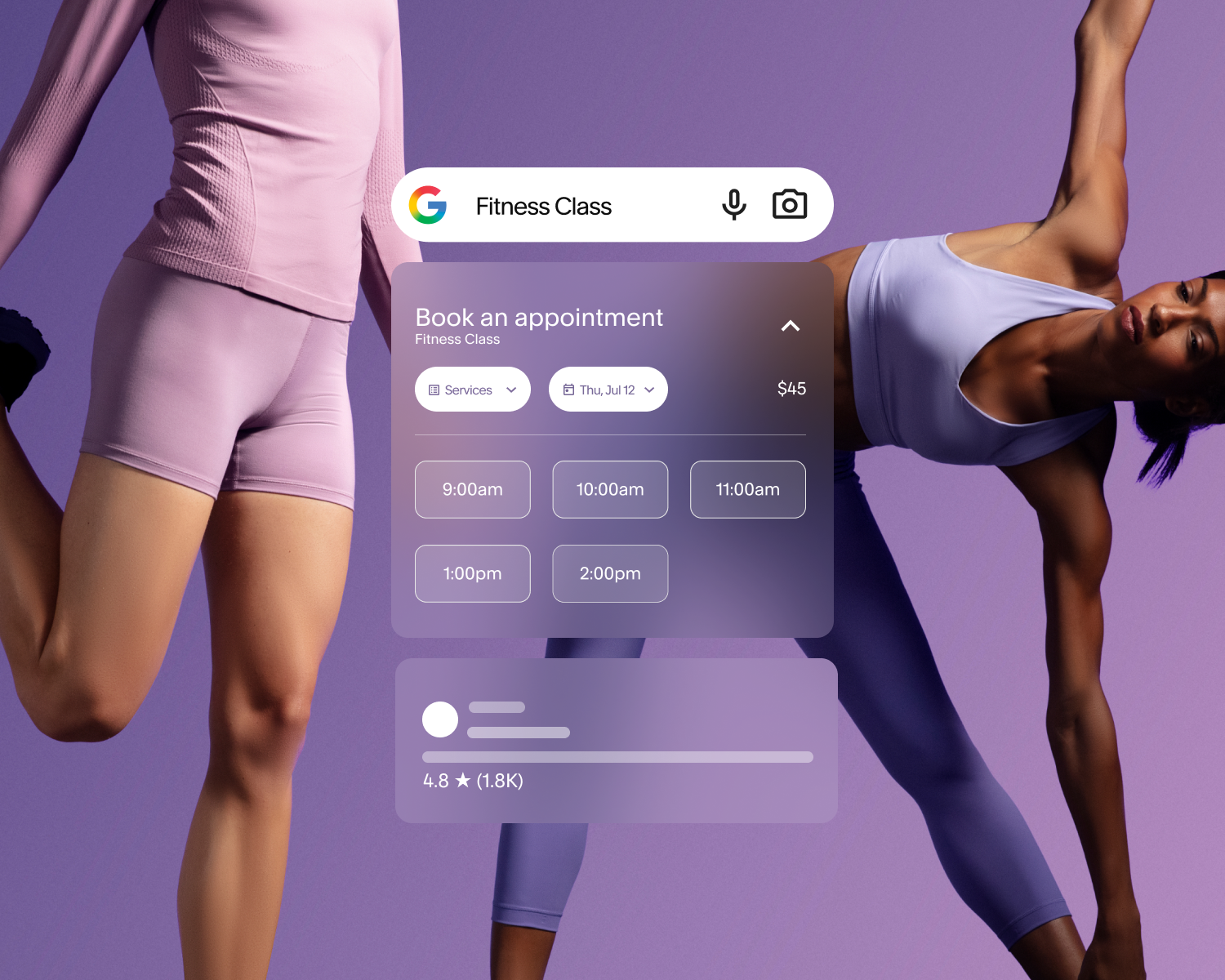
People search in different ways now. Some type in a specific business name. Others search by service, location, or availability. Some use Google AI Mode, which responds to detailed, conversational prompts to surface businesses that match what they need.
What you can control is whether your business is set up to book them where they find you.
How does Reserve with Google work in Google Search?
Google Search is often the first step in the client journey. A person might search for terms like:
Massage therapy near me
Pilates studio in Chicago
Brow shaping open this week
Personal trainer with evening appointments
Those searches signal clear intent. People are looking for a specific service that they want soon.
Reserve with Google gives them the opportunity to book right where they’re already searching. When they can move forward without extra steps, it can increase the chances that a search turns into a booking.
How does Reserve with Google work in Google Maps?
Google Maps supports local discovery. Clients use it to compare businesses by location, hours, reviews, and convenience. If you serve clients in person, Maps can be one of the most important places to get found.
Reserve with Google helps connect that local search moment to your booking experience. Someone can find your business while looking at nearby options and book with less friction.
That’s useful for businesses like:
Fitness studios
Salons and barbershops
Massage practices
Therapy offices
Coaching businesses with in-person sessions
Wellness providers with one or more locations
If location matters to your business, Maps visibility can support more qualified traffic.
How does Reserve with Google work in Google AI Mode?
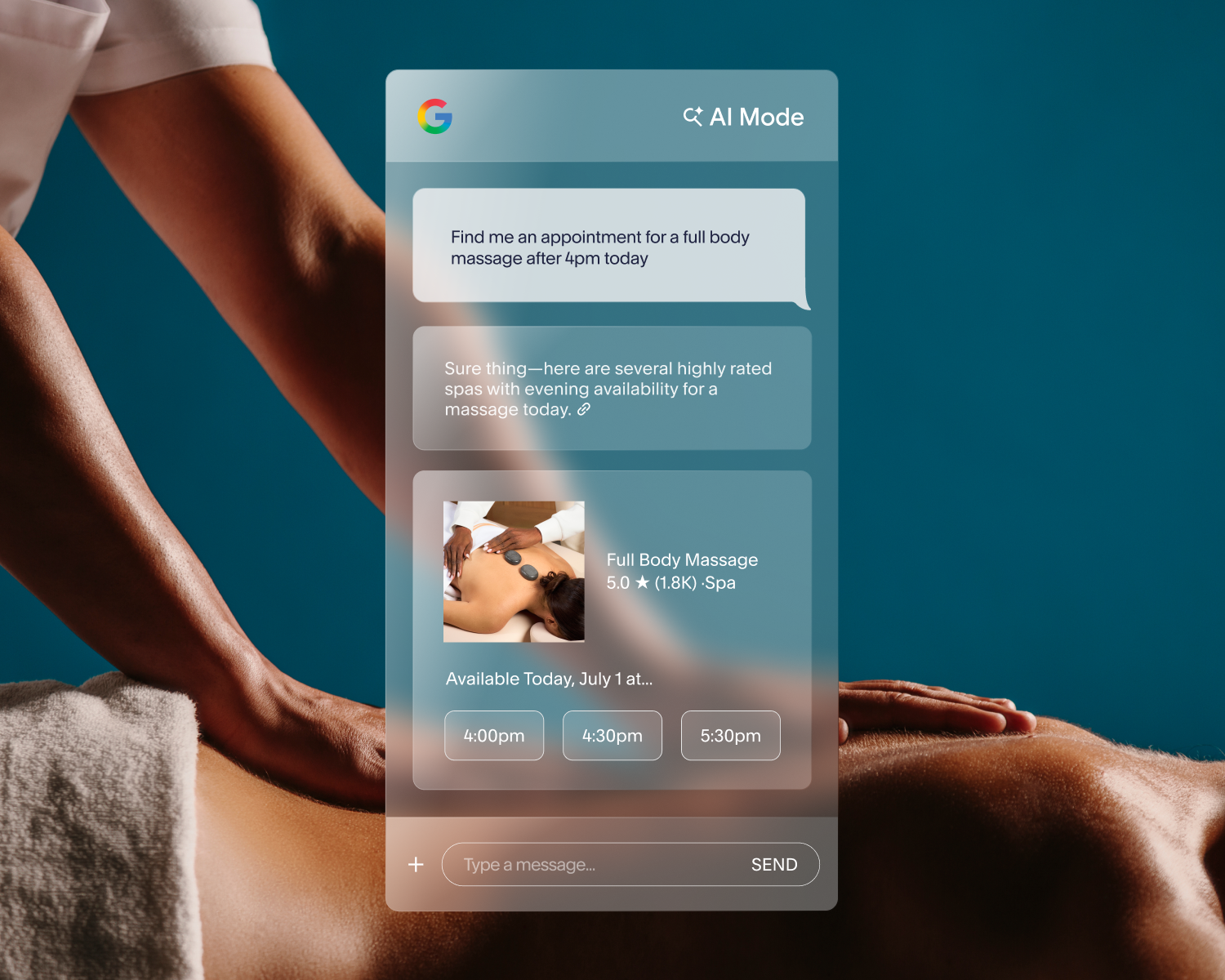
Google AI Mode is a search experience that can surface local businesses based on service type, location, and other signals. With Acuity’s Reserve with Google integration, your near real-time availability may appear as a result when someone searches for something like “Find a nail salon with availability today near me.” Once a time is selected in the search result, clients are taken straight to your Acuity booking page with their chosen time pre-selected.
Without the integration, Google has no availability data to work with, so your appointment openings are less likely to appear when someone searches with a specific time in mind.
Please note, AI Mode is available to Beauty, Wellness, Fitness, and Healthcare businesses, with Google introducing additional industries soon.
How a smooth booking experience helps you get clients
Getting found is only part of the job. If booking feels clunky, unclear, or slow, people drop off.
Service businesses deal with this all the time. You work hard to get attention, then lose momentum when a client has to jump through too many hoops.
When your business is easy to discover, and easy to book in the same moment, you put less pressure on your website, inbox, or front desk to do all the work.
Help clients book while intent is high
When clients are interested, you have a small window to act. A client might find your business between meetings, while commuting, or late at night when your business is closed. If they can book in that moment, you keep the process moving. If they have to wait, search again, or dig for a scheduling page, you risk losing them.
A smoother path supports stronger conversion because it respects how people actually book.
Show availability in near real time
Availability helps clients make decisions. If they can see open times, they can quickly tell whether your schedule works for them. That saves time for them and reduces back-and-forth for you.
For businesses that book often, near real-time availability can give clients a clearer picture of what’s open and helps them commit with confidence.
Reduce the number of steps it takes to book a service
Every extra click creates another chance for a client to leave. A connected booking flow can remove unnecessary steps for people who are already ready to schedule.
That’s especially useful for solo providers and small teams. You may not have time to manually follow up with every lead who gets close to booking but doesn’t convert. A simpler path does some of that work for you.
Which types of businesses does Reserve with Google support?
Reserve with Google can support a wide range of service businesses. Here’s what the experience might look like across a few industries.
Beauty businesses
If you run a salon, lash business, or nail studio, clients often search based on service, timing, and location. They may want something nearby, available this week, and easy to book.
A connected booking experience helps them move from search to appointment without unnecessary delays. That can support more first-time bookings and help fill open spots.
Education businesses
If you run a dance school, gymnastics center, golf instruction practice, or similar program, clients often search by specialty, location, and schedule fit. Finding a provider whose availability matches their own is a key part of the decision.
Visibility in Google Search & Maps may help new students find your business at exactly the moment they're looking to enroll. Clear availability and upfront information about what you offer can make it easy for them to take the next step.
Wellness businesses
If you provide massage, acupuncture, or other wellness services, clients may search with a strong need and a short timeline. They want a provider they can trust, and they want a clear path to book.
Reserve with Google can help reduce friction at that moment. Instead of adding more follow-up to your plate, it supports a direct, stress-free client journey.
How do you get the most out of Reserve with Google?
To get the most from Reserve with Google, your business details need to be accurate and up to date. If you want better results, start with the fundamentals:
Keep your business name, address, and contact details accurate.
Ensure your services are clearly described.
Keep your hours up to date.
Review your availability regularly.
Check that your booking flow reflects how you actually work.
These details prevent confusion and help clients make quick decisions.
Get discovered and get booked
Your next client is already searching. Reserve with Google puts your business in front of them with your availability visible and a direct path to book.
Follow the instructions in the Acuity Scheduling help center to connect to the Reserve with Google integration.
Not an Acuity Scheduling customer? Start a free trial and see how much easier your calendar fills when clients can find you and book in the same moment.






FAQs
What is Reserve with Google?
Reserve with Google is an integration that makes it easy for clients to book appointments with you through Google Search, Maps, and AI Mode. Clients already searching for your business, or for services your business provides, can find you on Google and be redirected to your Acuity Scheduling booking page to make an appointment.
How does Reserve with Google work with Acuity Scheduling?
Acuity Scheduling's Reserve with Google integration syncs your appointment availability with your Google Business Profile. When clients find your business in Google Search, Maps, or Google AI Mode, they see your near real-time availability and are taken directly to your Acuity booking page with their selected time pre-filled.
How do I set up Reserve with Google through Acuity?
To connect, you need a Google Business Profile with a business name and address that matches your Acuity account. See the full eligibility here.
Once you're ready, open the Integrations panel in your Acuity account, find Reserve with Google under Client Engagement, and click Set Up. Enter your business name and address and click Submit. After Google approves your business, which can take a few days, a Book Online button will appear on your listing. For full setup instructions, visit the Acuity help center.
What is the difference between Reserve with Google and my Google Business Profile?
A Business Profile on Google is a way for a business to show up on Google Search & Maps and interact with customers online. You can showcase all key details such as business hours, contact information, and services offered.
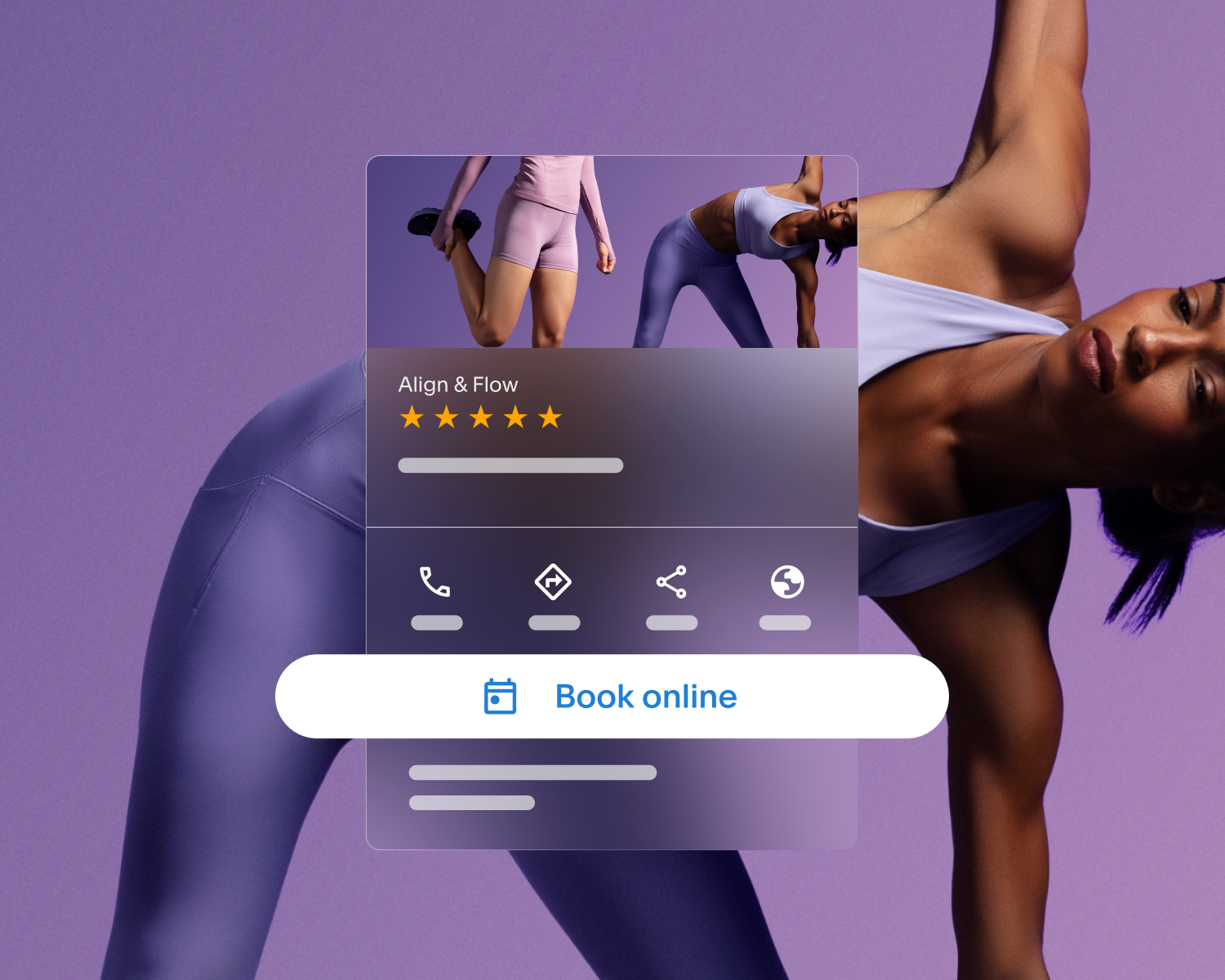
The Reserve with Google integration is an add-on feature that links up to your Business Profile and allows clients to be redirected to your website by clicking a blue “Book Online” button placed prominently on the profile.These products work together to help you reach new clients for appointments and make it easy for them to take action.
What should my clients expect when they click the “Book Online” button on my Business Profile, or other booking entrypoints associated with my business on Google Search & Maps?
Once a client clicks a booking entrypoint associated with your business, they’ll be redirected to your Acuity Scheduling page. From there, they complete the booking as they normally would.
What types of businesses are eligible for Reserve with Google?
To be eligible for Reserve with Google, your business needs a physical location and a verified Google Business Profile. Your business also needs to be in an approved industry as defined by Google's platform policies. Note that each Acuity subscription can be connected to one Google Business Profile, so multi-location businesses will need to connect based on a single address. Learn more about eligibility.
What is Google AI Mode, and how does it affect local businesses?
Google AI Mode is a search experience that can surface local businesses based on service type, location, and other signals. For service businesses, this means your listing may appear in response to searches like "Find a yoga studio with morning availability near me." Reserve with Google helps your business show up in these results.
Does Reserve with Google cost anything?
Reserve with Google is available as part of your Acuity Scheduling plan at no additional cost. You can even test it out during your free trial. Google does not charge businesses to appear through Reserve with Google. The integration is designed to help eligible businesses get bookings from clients already searching on Google, without adding to your operating costs.
How can I disconnect from Reserve with Google?
Enabling the Reserve with Google integration helps clients find and take action with your business on Google Search & Maps. If you want to disconnect from the integration, please follow the steps here.